Tuesday, September 4, 2012

Top 20 Photoshop Gold Text Effect Tutorials

4 comments


1. Simple Brush Gold Text Effect


***


2. LOTR Style Gold Text Effect

***


3. Gold Plated Text Effect

***

4. Royal Gold Text Effect

***

5. Glossy Gold Text Effect

***

6. Glittering Party Gold Text Effect

***

7. Simple Gold Text Effect

***

8. Bevel Gold Text Effect

***

9. Oz Style Gold Text Effect

***

10. Noise Gold Tex Effect

***

11. Soothing Gold Text Effect -

***

12. Gold Border Gold Text Effect

***

13. Rusty Gold Text Effect

***

14. Casino Gold Text Effect

***


15. 3D Metalic Gold Text Effect

***

16. Shiny Old Style Gold Text Effect

*** 

17. Rusty Gold Text Effect

***

18. Ancient Style Gold Text Effect

***

19. Glossy Glittering Gold Text Effect

***

20. Crumbled Gold Text Effect

***


Saturday, September 1, 2012

Android Development - FAQs, Errors and Solutions

0 comments

This page is dedicated to all Android developers to save them a lot of pain, time and bandwidth. The page is continuously being updated with the latest tips and solutions for Android Development.

1. R.java is missing

Possible Reason(s) -
One of your XMLs has an error. Either a tag is common between two XMLs or a tag is not closed .

Solution -
Expand the res/values and assets folder. Check whether any XML has Error icon in it. if there is any conflict, resolve it. Then Go to Project->Clean in the top menu bar.

Entire project will be rebuilt and you'll be good to go.

2. AlertDialog not working when passing Context parameter as this.

Possible Reason(s) -
You've passed this instead of YourActivityName.this in the AlertDialog.Builder function.

Solution -
Pass YourActivityName.this inside the Builder function as shown below -

AlertDialog.Builder builder = new AlertDialog.Builder(YourActivity.this);
builder
.setTitle("Are You Sure?")
 .setPositiveButton("Yes", new DialogInterface.OnClickListener() {
        public void onClick(DialogInterface dialog, int id) {
               //Do Something          
       }
 })
.setNegativeButton("No", new DialogInterface.OnClickListener() {
       public void onClick(DialogInterface dialog, int id) {
              dialog.cancel();
       }
 }).show();

3. How to check whether the application is installed in the device programmatically?

Simple. You just need to know the package name of the program. Pass the package name in the following function -

private boolean appInstallStatus(String packageName)
{
try{
ApplicationInfo appinfo= getPackageManager().getApplicationInfo(packageName , 0);  
//Application exists
return true;
}
catch( PackageManager.NameNotFoundException e ){
//Application doesn't exist
return false;    
}
}

4. ADW Theme: How to launch ADW Theme selection window from your Application?

So you've made an ADW Theme, an interface with an apply button and you want to show the ADW theme section menu on clicking it.

Sadly, normal ADW launcher doesn't have anything to handle that. However ADW EX has that effect. Use the code below -

Intent i=new Intent("org.adw.launcher.SET_THEME");
i.putExtra("org.adw.launcher.theme.NAME","com.yourtheme.package.name");
startActivity(Intent.createChooser(i,"Apply theme to..."));

5. ADW Theme: How to change the app drawer icon in ADW?

Well, according to this, you can't

6. How to install an apk in Android simulator?

Simple.

a) Start the simulator.
b) After it boots into android screen, go to Android directory (generally c:/program files/Android) & browse to platform-tools folder.
c) Copy and paste the apk there.
d) Open cmd and change the directory to platform-tools folder.
e) type adb install <apkname>.apk

Done...

7. While installing, I'm getting application already installed error.

Follow the above steps till d.
Then type adb install -r <apkname>.apk

8. How to see debug info in Android?

In eclipse, go to Window > Share View > LogCat. The logcat window will open. Now, in AVD, run the application and the log will be shown in LogCat.

9. Emulator showing "Waiting for device" when trying to enter adb command.

Your adb server is having problem. Type adb kill-server and then try to install.

10. My app is crashing only in QVGA/LDPI in emulator.

Most likely you haven't included icons or images for LDPI screen (inside res/drawable-ldpi) and thus the application is trying to render an hdpi/mdpi icon in an ldpi screen and crashing.

Just try to include icons for LDPI screen (36px X 36px) and see whether it is working.

11. How will I find launcher actions for an application?

Two ways -
a. Go to http://activities.droidicon.com/
b. Install Sony AppXplore - https://play.google.com/store/apps/details?id=com.sonyericsson.androidapp.AppExplore

12. How to check the number of times an application has started?

@OnCreate (Bundle bundle){
  mPref = getPreferences();
  int c = mPref.getInt("numRun",0);
  c++;
  mPref.edit().putInt("numRun",c).commit();
  //do other stuff...
}
 
@Override
protected void OnPause(){
  if(!onFinishing()){
    c = mPref.getInt("numRun",0);
    c--;
    mPref.edit().putInt("numRun",c).commit();
  }
  //Other pause stuff.
}

 
To be continued....

Sunday, August 12, 2012

Top 7 free Go Launcher EX themes for your Android phone.

0 comments

Go Launcher EX is a very popular application for android. With over 5 million downloads, we can easily say that is is the most used launcher app for Android devices. Moreover, unlike other launcher like APEX or NOVA, it supports older versions of Android like Froyo and Gingerbread. That makes it one of the most compatible launcher application too.

With the launch of Go Theme Framework, it was expected that the number of themes in the android market will increase. Currently we have over a thousand themes for Go Launcher in Google Play. Out of them, I've Handpicked 20 themes that I liked to have in my Galaxy Note. Enjoy!

1. JellyBean Go launcher Theme -

Without doubt, this is the best and most elegant Go launcher theme available right now. It gives you a proper feel of Android 4.1 Jelly Bean and comes with 6-7 wallpapers. The icons look great too!

Download

2. Indianizer - India Flag Theme -

While this theme is comparatively new, it is no doubt the best flag theme out there. It may not attract audience from all countries but Indians. But the sleek and elegant design is sure to earn praise from everyone. Moreover, it's developer Alienizer says in another post that more countries will be added soon. So stay tuned. :)


Download


3. GLovelight Go Holistic Theme -

This is a minimalistic theme you should download before Valentines Day! ;)


Download

4. PinkMusic Go launcher Theme - 

 One of the best theme that suits both male and female users. It is not only minimalistic, but also have a very nice blend of black and red. The icons blend perfectly into the theme's interface. A work of Art!.


Download

5.  Vintage Go Launcher Theme

This theme showcases all kinds of old gadgets as it's icons. Turn your mobile screen in to a nostalgic memory with this awesome theme from a very well known publisher Andrea Reis Fagundes.


Download

6. Festival GO launcher Theme -

Created by Official Go Development Team, this theme continues to rule this festive season. While the color scheme is a little bit flashy, the gold icons will no doubt take your breath away!


Download


7. Windows 8 Go Launcher Theme -

This is one of the most elegant and minimalistic theme I've ever seen in Google Play. The only reason I've kept it at number 8 is the lack of screenshots and icons available to this theme. Developer, are you listening? Fix that and it'll move up all the way to 3rd place.


Download

Sunday, July 31, 2011

Awaz Do - Join now

0 comments
Yesterday, I got an invite from one of my friends for an initiative by UNICEF called awaz do. At first I though it was just another scam and it should be ignored just like the rest. But the images in the mailer seems professional. So I took a leap of faith and clicked the link. It was worth it!

For those who don't know what Awaz Do is, it is an UNICEF initiative to support the implementation of India's Right to Information Act which ensures the following -


  • Describes the modalities of the importance of free and compulsory education for children between 6 and 14 in India under Article 21a of the Indian Constitution.
  • Reserves 25% seat of all primary schools for children of poor families.
  • No child shall held back, expelled or required to pass a board examination till 14 years i.e. they complete their fundamental education.
  • For disabilities - it is 18 years.
  • Teacher to pupil ratio should be 1:30.

It is very important to know and spread awareness about the RTE act as you can be a vigilante around you and your support will be a strong force to build an illiteracy free India in future.

So Join me and lakhs of others in this noble initiative -

Wednesday, December 30, 2009

AVAST - One awesome Free Security Software (Review with Avast 5 pic)

2 comments


It's been two years since I first installed the AVAST antivirus. Like thousands of web users then, I used to rely on Norton and later AVG. 


Then I came across an article in Digit about AVAST and decided to try that. AVG was going all time low that time, it even failed to identify common trojans, thanks to which I had to reinstall the OS two times.


Then came AVAST. I went to the site and registered. It was a cakewalk. The word "free" appeared almost all corner of the site which usually made it a tension free process. I got the 1 year registration key almost instantly in my gmail.


So started the installer and with a boot scanning option. AVAST started a boot time scan as soon as it was restarted. It found 14 different virus at one go which went unnoticed by AVG earlier.

Before the windows could start, my system was completely virus-free!!! I could figure the difference. There was no warning message of antispyware programs, no slow loading of windows and pc hangs anymore.


So I continued. The only thing that needs to be done is the user has to register every year for the software (Free).


From my last two years experience, I've seen the following positive and negative points of AVAST -


Pros -


  1. Completely free.
  2. Difference between paid and free version is absolutely minimal for home users, specially if you compare with other free anti-virus softwares available. 
  3. Easy to use User Interface.
  4. Frequent updates.
  5. Skinning support (From version 5 it will not be available).
  6.  High end protection like anti-rootkit, boot time scanning feature.
  7. Compatibility with XP, Vista, Windows 7 
  8. Feature to selectively stop specific services like "Mail Scanner" when and if you don't require them

Cons -

  1. Version 4 is a little bit resource hungry when compared to Norton 2010.
  2. Has a compatibility issue with Zone alarm firewall or security suite.

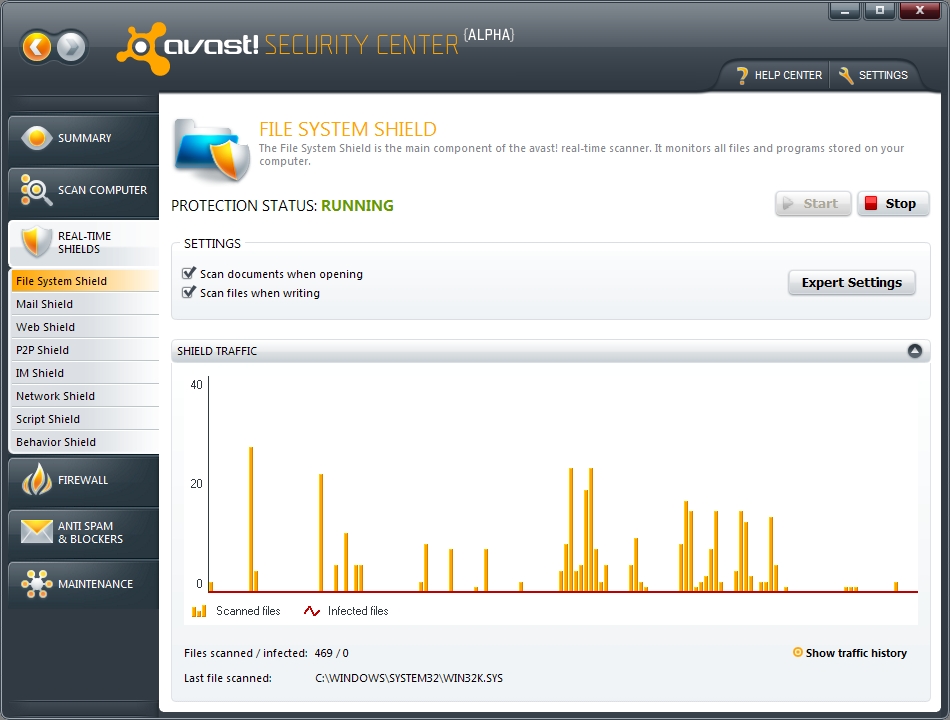
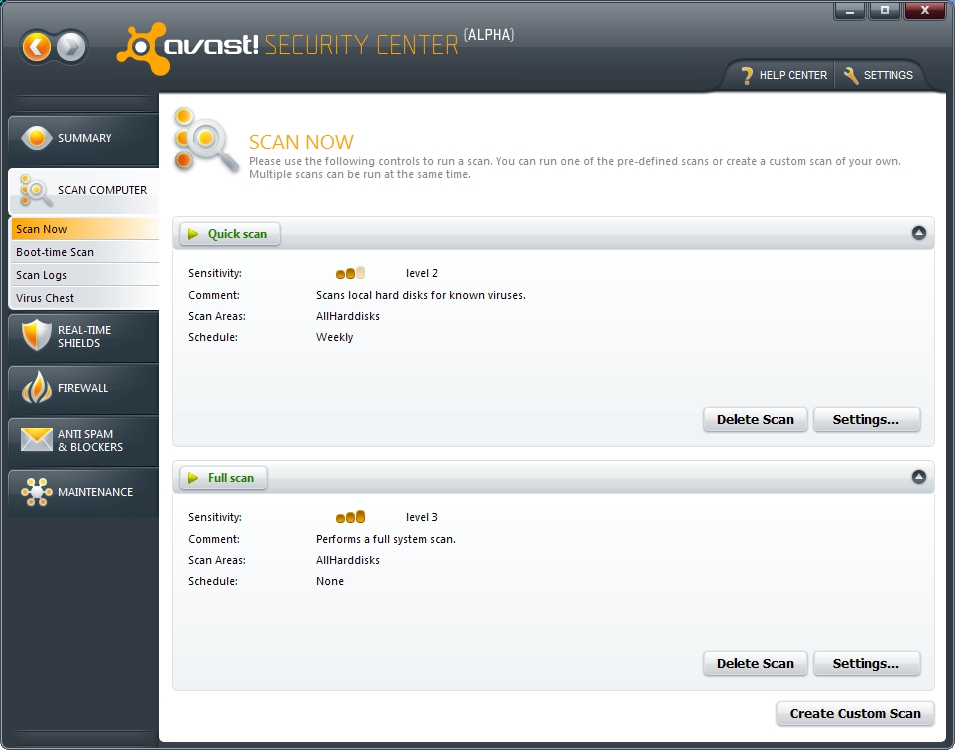
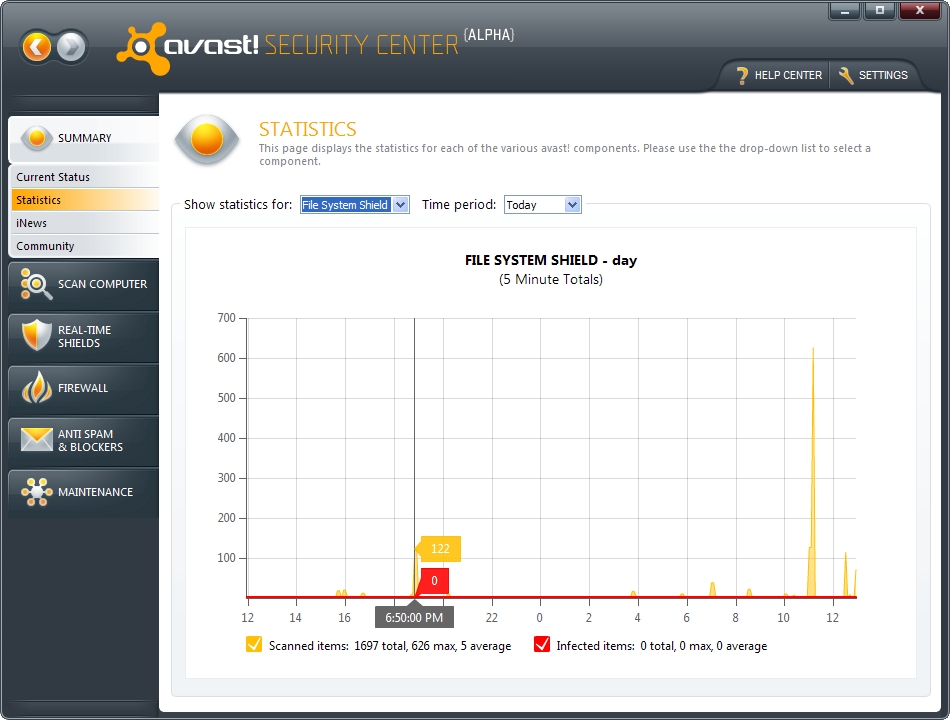
The drawbacks of AVAST are supposed to be fixed in the latest version of the Software which is scheduled for release in 2010. It will remove the old UI and

introduce a new User Interface as shown below -


Screenshots - (Taken from Softpedia)


You can download avast (Current version) from the following link -


If you want to try version 5 beta, please check the AVAST forum.


Disclaimer: This is not an advertisement. It portrays the author's personal experience with a product.